Starting Your Search
Alongside Agent Mode, Taleva offers a classic Search for finding candidates directly. Accessible from Search in the left-hand menu, it gives you several ways to define who you're looking for, whether you prefer to describe your ideal candidate in your own words, paste in a full role description, or set precise filters.
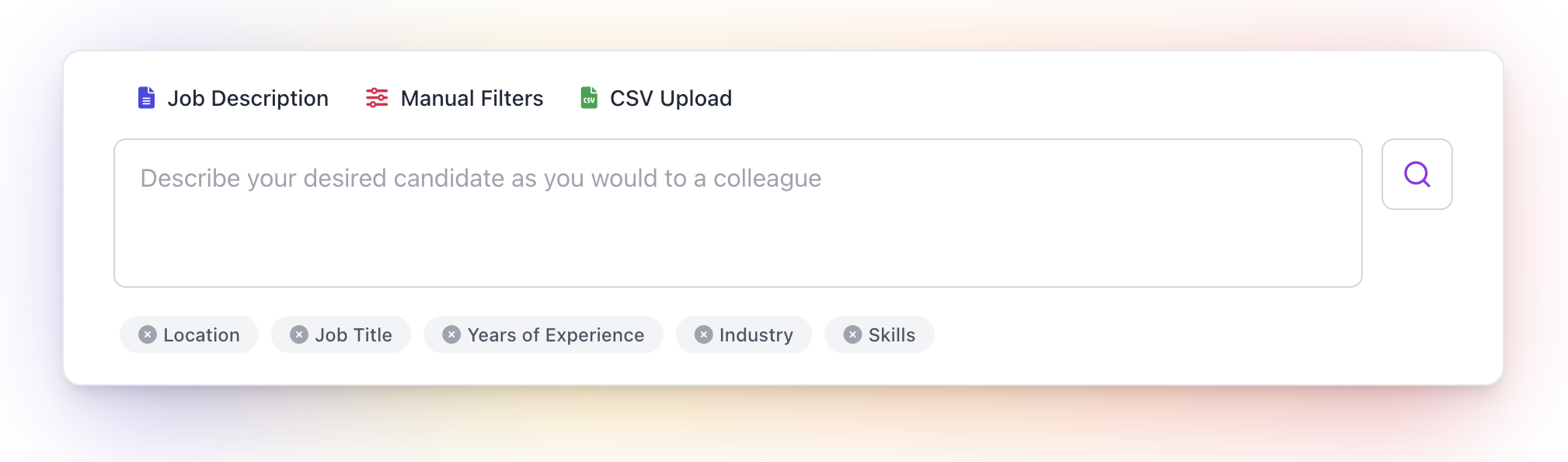
1. Describe Your Candidate (Recommended)
Most searches in Taleva begin with a Search Prompt. Use the text box to describe your desired candidate as you would to a colleague. Taleva highlights the key details worth including (Location, Job Title, Years of Experience, and Skills) so your search is well-targeted. The more context you provide, the better the initial results will be.
Example:
"Head of Operations in Madrid with 15+ years of experience in hyper-growth logistics or e-commerce, proven track record in streamlining supply chains and managing multi-site operations."
Dictate
Rather than typing, you can use Dictate to describe your ideal candidate out loud: a quick way to get your requirements down when you'd rather just think out loud.
2. Job Description
If you have an existing job posting, you can simply paste the Job Description. This ensures no key details are overlooked and allows the AI to extract requirements directly from your formal documentation.
3. Manual Filters
For users who are very sure of the specific keywords they need and prefer a direct approach, you can manually build your search. This method uses traditional filters to define your pool from the ground up.
How Taleva Processes Your Input
Regardless of the method you choose, Taleva's AI automatically translates your input into the two components that shape your search:
- Filters: The hard parameters (Job Title, Location, Years of Experience) that define the initial candidate universe. Filters determine the total pool of matches (e.g., 58,064 matches), and you can refine them at any time with Edit filters.
- Criteria: Natural-language phrases that describe exactly what the role needs, for example "Experience scaling technology teams in high-growth environments." Taleva's AI auto-evaluates each candidate against these criteria to surface the best-fit people.
These categorizations are always just a suggestion: you have full control to edit both before running the search. Learn how the split works in Filters vs. Criteria.
When you're happy with your filters and criteria, click Run Search to generate your results, or use Clear Filters to start over.
A Note on Pool Size
It is important to keep a close eye on the number of results. If you find your talent pool is too small, the best strategy is to "open up" the search by relaxing your Filters, and then let the Criteria do the heavy lifting of narrowing down and prioritizing the best profiles.