Starting Your Search
Searches in Taleva can be initiated through four distinct methods, designed to fit whatever stage of the recruitment process you are in.
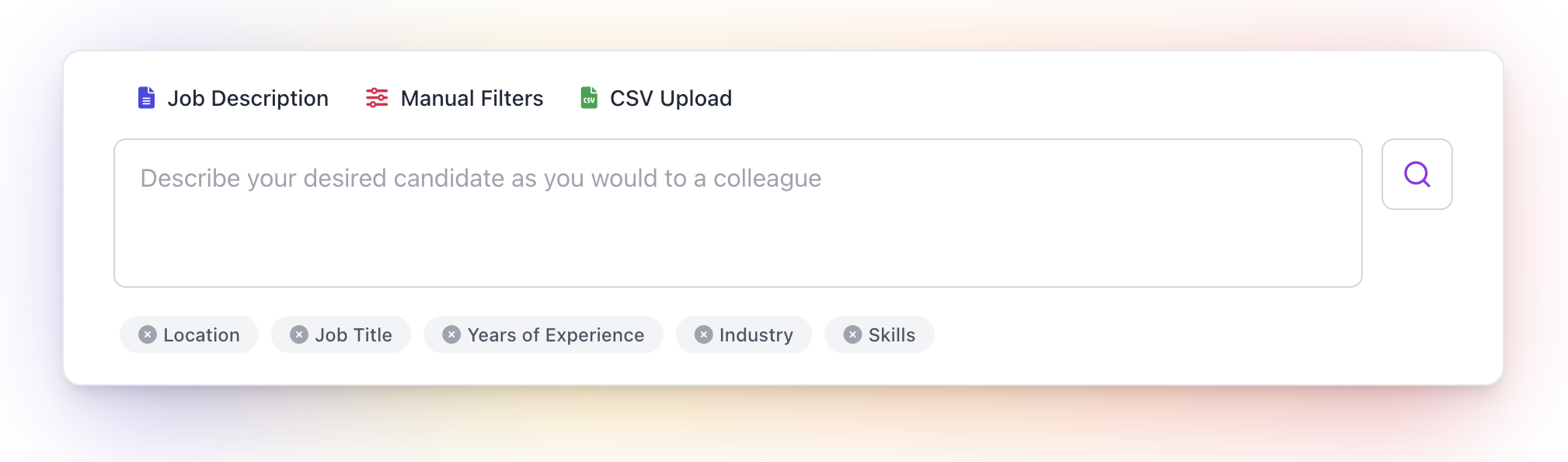
1. Search Prompt (Recommended)
Most searches in Taleva begin with a Search Prompt. Here, you simply explain who you are looking for in your own words. The more context you provide, the better the initial results will be.
Example:
"Head of Operations in Madrid with 15+ years of experience in hyper-growth logistics or e-commerce, proven track record in streamlining supply chains and managing multi-site operations."
2. Job Description
If you have an existing job posting, you can simply paste the Job Description. This ensures no key details are overlooked and allows the AI to extract requirements directly from your formal documentation.
3. Manual Filters
For users who are very sure of the specific keywords they need and prefer a direct approach, you can manually build your search. This method uses traditional filters to define your pool from the ground up.
4. CSV Upload
If you have already curated a list of candidates on another platform, you can import them via CSV. This allows you to bring an external "universe" into Taleva to organize, analyze, and rank them using the Talent Compass.
How Taleva Processes Your Input
Regardless of the method you choose to start your search, our in-house AI will automatically categorize your requirements into Filters and Criteria in the most optimal way.
- AI Optimization: The system suggests the best split to ensure you have a healthy candidate pool.
- Total Control: These categorizations are always just a suggestion. You have the full ability to edit both the Filters and Criteria to suit your exact needs.
A Note on Pool Size
It is important to keep a close eye on the number of results. If you find your talent pool is too small, the best strategy is to "open up" the search by relaxing your Filters, and then let the Criteria do the heavy lifting of narrowing down and prioritizing the best profiles.