Profile Sidebar
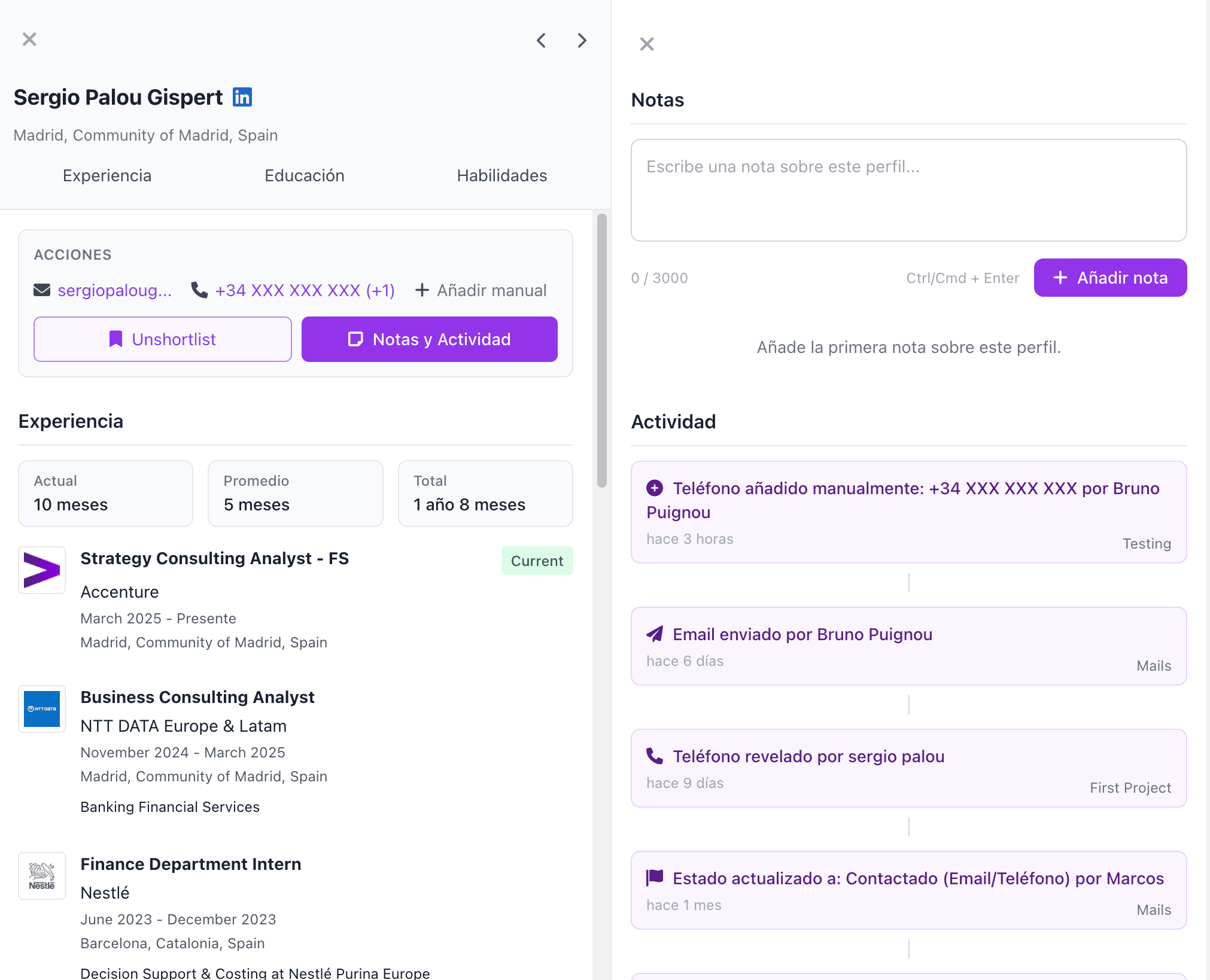
The Profile Sidebar is the core information hub for a candidate. From here you can access:
- Full professional profile
- Contact details (phone and email)
- Notes
- Activity
You can open the Profile Sidebar from anywhere in the product:
- By clicking on a result in AI Search
- By clicking on a candidate's name in Talent Compass
- By clicking on a row in the Shortlist
Full Professional Profile
Here you will find all relevant candidate information, such as their location, work experience, education, skills, languages, certifications, and projects, among other data.
Profiles are continuously updated from more than 15 data sources, to ensure the most complete and current information possible.
Contact Details
From the Profile Sidebar you can reveal the phone number and email, both personal and professional, when available.
Revelations work through a monthly credit system.
Additionally, you can also manually add contact details if you already have them.
This feature is collaborative: you will be able to see all revelations made by your teammates.
Notes
You can add any notes or comments about a candidate to keep them saved in the project.
This feature is collaborative and notes are visible to the entire team.
To access notes, click the purple "Notes & Activity" button.
Activity
The Activity section shows a log of all events related to the candidate, such as when they were added to a shortlist, if an email was sent, if they had an interview, or if they were hired.
This helps keep recruitment processes organized, provides traceability over past actions, and avoids overlaps between colleagues working with the same candidates.
To access activity, click the purple "Notes & Activity" button.
Navigating Between Profiles
If you want to easily move between candidates, you can use the arrows in the top right corner of the sidebar to navigate to the previous or next profile.